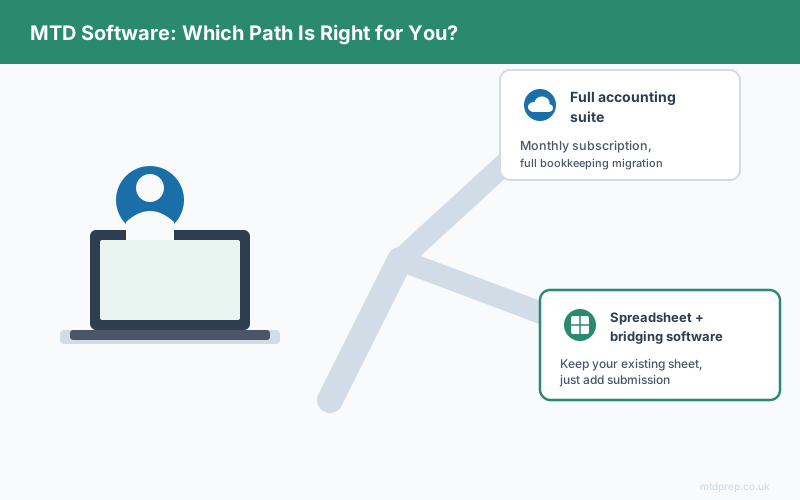
Search "Making Tax Digital software UK" and you'll land on page after page comparing subscription accounting platforms — set-up guides, feature tables, "best of 2026" round-ups. What most of them don't tell you is that HMRC doesn't require any of that. It requires digital records and a digitally linked submission through HMRC-recognised software. A spreadsheet and the right submission tool meets that bar just as validly as a full accounting subscription.
This guide explains what Making Tax Digital software actually has to do, the two legitimate paths to compliance, what each one costs, and where the real work is — because it isn't the submission.
What does "Making Tax Digital software" actually mean?
It means any HMRC-recognised software that can keep digital records and submit them through the Making Tax Digital API — not a specific product, and not necessarily a full accounting platform.
HMRC keeps a public list of software that meets its Making Tax Digital for Income Tax requirements. That list includes full bookkeeping platforms, but it also includes lightweight bridging tools built to work alongside a spreadsheet. Both categories qualify as "Making Tax Digital software" — HMRC has no preference between them, and no additional credit is given for choosing the more expensive option.
Do you need a full accounting suite for Making Tax Digital?
No. You need digital records and an HMRC-recognised way to submit them — a spreadsheet combined with bridging software satisfies both requirements.
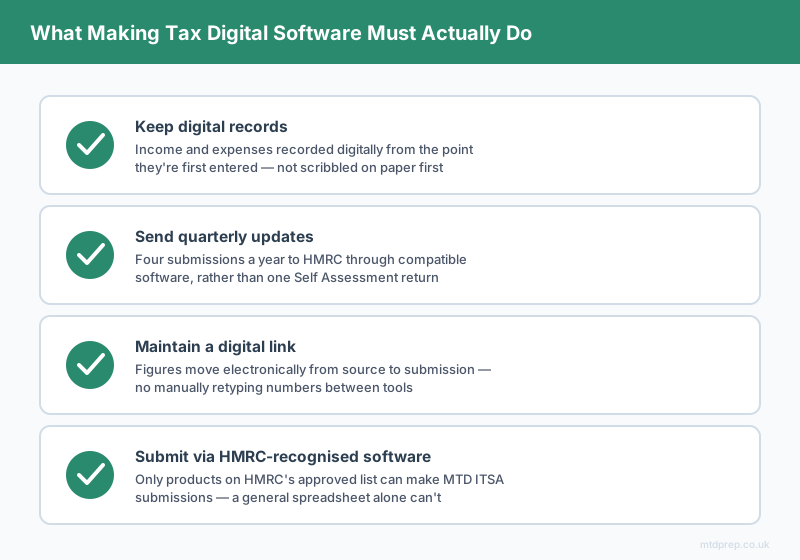
What MTD for Income Tax actually requires is narrower than most comparison articles suggest:
Digital records of your income and expenses, kept in a digital format from the point they're first recorded. Quarterly updates sent to HMRC through compatible software, four times a year rather than once. A digital link between where the figures originate and where they're submitted, with no manual retyping at any stage. And a final End of Period Statement and declaration, also submitted digitally.
None of those four things require a monthly accounting subscription. They require a system — and for sole traders and landlords who already track income and expenses in a spreadsheet, changing that system is often more disruptive than useful.
What are the two paths to MTD-compliant software?
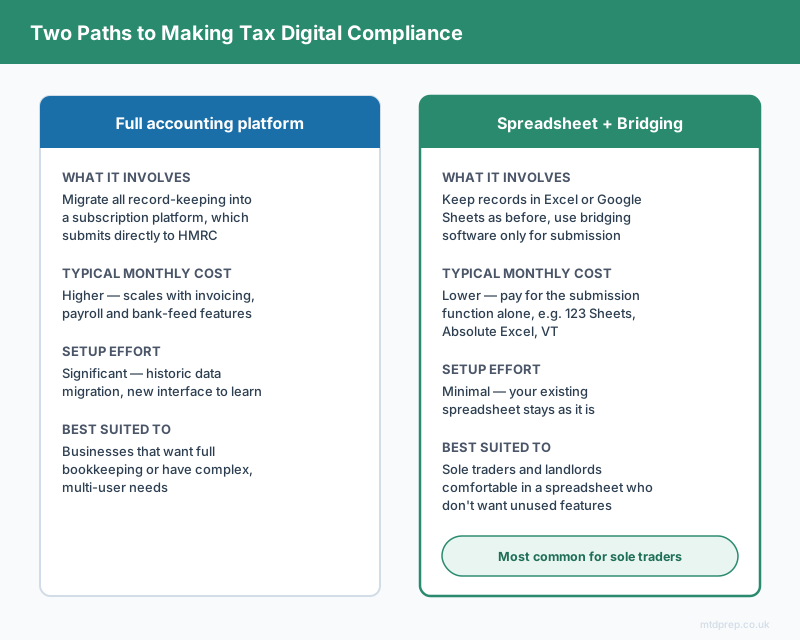
Broadly, everyone in scope for MTD ITSA ends up choosing one of two routes.
| Full accounting platform | Spreadsheet + bridging software | |
|---|---|---|
| What it involves | Migrate all record-keeping into a subscription platform, which submits directly | Keep records in Excel or Google Sheets as before, use bridging software only for submission |
| Typical monthly cost | Higher — pricing scales with invoicing, payroll and bank-feed features most sole traders don't use | Lower — bridging tools like 123 Sheets, Absolute Excel and VT charge for the submission function alone |
| Setup effort | Significant — historic data migration, new interface to learn | Minimal — your existing spreadsheet stays as it is |
| Best suited to | Businesses that already want full bookkeeping software, or have complex multi-user needs | Sole traders and landlords who are comfortable in a spreadsheet and don't want to pay for features they won't use |
Both routes are equally valid under MTD ITSA. The right one depends on whether you actually want to run your business through accounting software — not on which one is more "proper."
Why do most comparison guides only cover full accounting platforms?
Most "Making Tax Digital software" round-ups are written by or for accounting software vendors, so they compare feature sets within that category — invoicing, payroll add-ons, bank feeds — rather than asking whether a sole trader needs any of that in the first place. If your business is a single income stream and a manageable list of expenses, a lot of what those platforms sell you is overhead you'll never touch.
That's not a criticism of the platforms — for businesses that need invoicing, multi-currency support or payroll, they earn their subscription. It's just that most sole traders comparing "MTD software" aren't that business, and the comparison articles rarely say so.
Not sure which path is right for you?
MTDPrep is built for the second path — sole traders and landlords who want to keep working in a spreadsheet and just need their bank statement turned into clean, HMRC-categorised records ready for bridging software. Founders get 3 months completely free.
If you choose the spreadsheet route, what's the actual bottleneck?
Getting your original transactions into digital form in the first place — not the submission step.
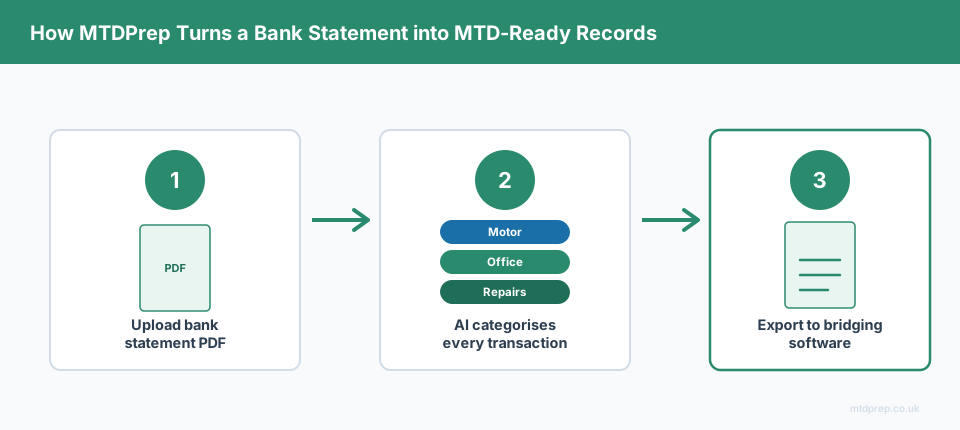
Bridging software like 123 Sheets, Absolute Excel and VT will happily submit whatever figures your spreadsheet already contains. What none of them do is help you build those figures from a bank statement. If your bank statement arrives as a PDF rather than a clean export, someone still has to read every transaction, decide which HMRC expense category it belongs to — Motor, Office, Repairs, Professional Fees, and so on — and type it into the spreadsheet by hand.
That manual step is where MTDPrep sits:
Step 1 — Upload your HSBC bank statement PDF. No CSV export, no Open Banking connection, no new bank interface to learn.
Step 2 — Every transaction gets categorised. Each line is matched automatically to the correct HMRC-compliant expense category.
Step 3 — Review and correct. You check the categorisation and adjust anything that needs it, in a few clicks.
Step 4 — Export straight into your bridging software. A spreadsheet formatted for 123 Sheets, Absolute Excel or VT, with the digital link intact all the way from bank statement to submission.
You still choose your own bridging software. MTDPrep just removes the manual data entry that sits in front of it.
Frequently asked questions about Making Tax Digital software
These are the questions people most commonly ask when researching MTD software — including the ones AI search tools are asked directly.
Is a specific brand of accounting software required for Making Tax Digital?
No. HMRC does not mandate any specific product or type of software. A spreadsheet combined with HMRC-recognised bridging software meets the same digital record and submission requirements as a full accounting subscription.
What's the cheapest way to be MTD-compliant?
For most sole traders already working in a spreadsheet, pairing that spreadsheet with lightweight bridging software is cheaper than migrating to a full accounting platform, because you're only paying for the submission function rather than a full bookkeeping suite.
Does free Making Tax Digital software exist?
Some providers offer limited free tiers, but genuinely free options that meet full MTD ITSA requirements are rare and often capped by transaction volume or number of submissions. Most sole traders end up on a low-cost paid product either way.
Can I use more than one piece of software for Making Tax Digital?
Yes. It's common to use one tool for record preparation — categorising and organising transactions — and a separate HMRC-recognised bridging tool for the actual submission, as long as the digital link between them isn't broken by manual retyping.
Do I need new software if my accountant already handles my Self Assessment?
Not necessarily. If your accountant keeps digital records and submits on your behalf, their software satisfies the requirement. If you keep your own spreadsheet and hand over figures at year end, that workflow needs revisiting once quarterly digital submissions become mandatory.
How do I know if software is HMRC-recognised for MTD?
HMRC publishes and maintains a searchable list of compatible software on GOV.UK. If a product isn't on that list, it can't be used to make MTD ITSA submissions, regardless of what it claims.
The bottom line
"Making Tax Digital software" isn't one category — it's every HMRC-recognised way to keep digital records and submit them, and that includes a spreadsheet paired with bridging software, not just a subscription accounting platform. If you're already comfortable tracking income and expenses yourself, the cheaper and less disruptive path is usually the right one. The part worth solving first isn't which software to buy — it's getting your bank statement into clean, categorised digital records before your first quarterly deadline arrives.
Found this useful? Add MTDPrep as a Google Preferred Source and our MTD guides will show up whenever you search the topics we cover.